INTERACTIVE LEARNING EXPERIENCE
Why Is It So Hard to Just Get Started?
Understanding Task Initiation Through Executive Function
An interactive learning experience that helps learners recognize why getting started can be difficult and build a practical first step for moving forward.

Role: Learning Experience Designer & Developer
Tools: Articulate Storyline 360 • Canva
Audience: Middle school, high school & college learners
Focus: Executive Function • Task Initiation • Self-Management
The Challenge
Starting a task can look deceptively simple.
For learners with executive-function challenges, knowing what needs to be done does not always translate into being able to begin. Task initiation can be disrupted by uncertainty, overwhelm, competing demands, or difficulty identifying the first actionable step.
The challenge was to create a short interactive experience that explains this barrier without reducing it to motivation or effort, while giving learners a practical strategy they could use immediately.
The goal: move learners from “Why can’t I just start?” to “What is one step I can take right now?”
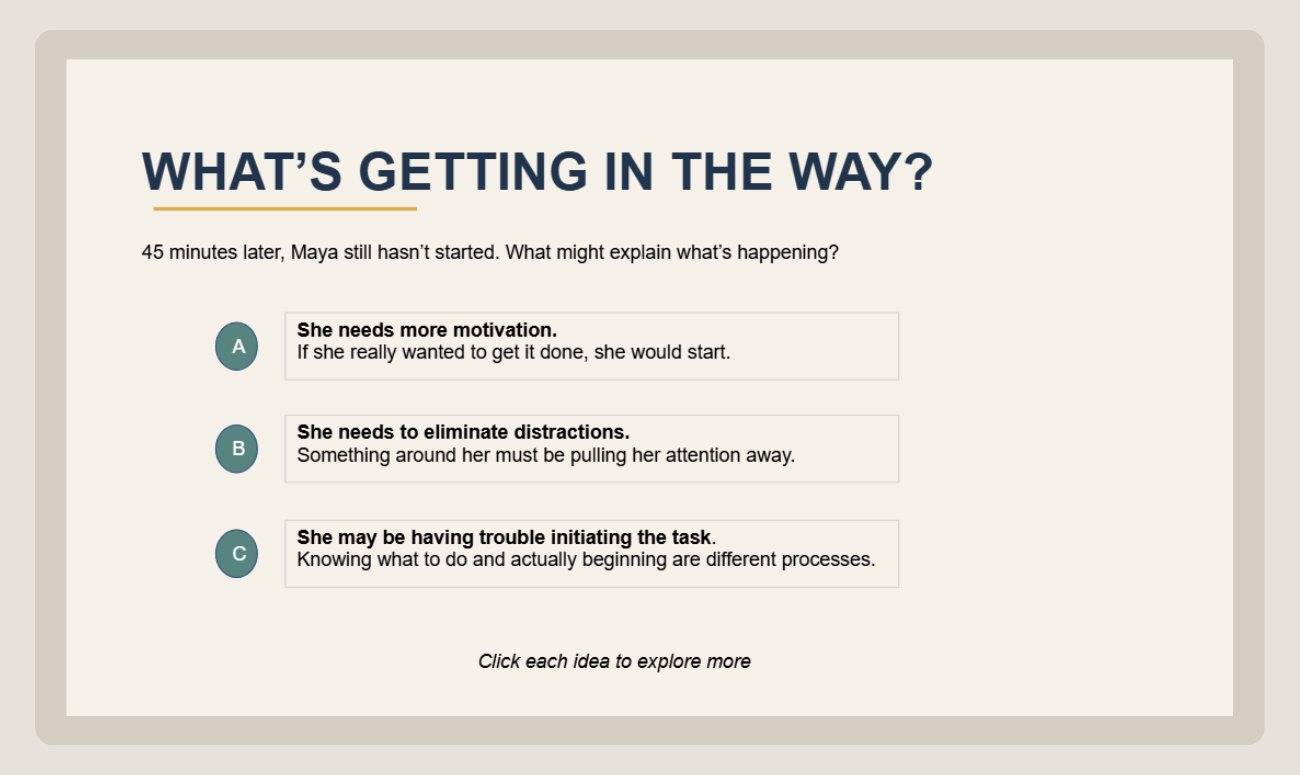
Challenging the Assumption
Learners explore possible explanations for Maya’s difficulty getting started before task initiation is formally introduced.
THE DESIGN APPROACH
The course was designed to make an abstract executive-function skill feel concrete, recognizable, and immediately useful.
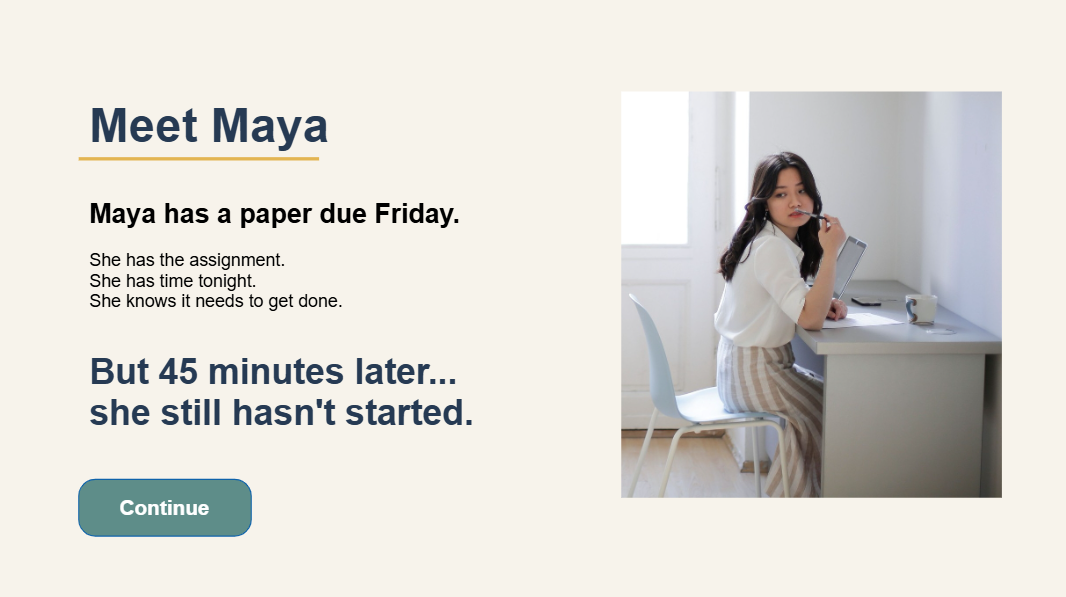
Using a Relatable Scenario
The experience begins with Maya, a learner who knows what she needs to do but still cannot get started. Starting with a familiar situation gives learners context before introducing the executive-function concept behind it.
Challenging Common Assumptions
Rather than immediately explaining task initiation, the experience asks learners to consider what might be getting in Maya’s way. Exploring motivation, distraction, and initiation helps surface common assumptions before the concept is formally introduced.
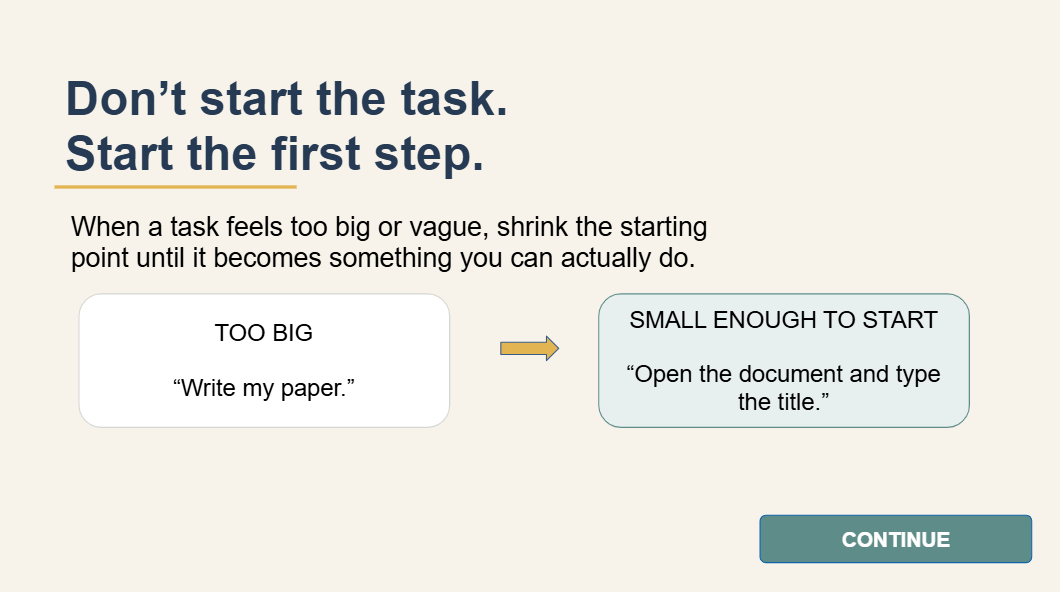
Moving From Understanding to Action
The experience progresses from recognizing the barrier to identifying a manageable first step. Interactive practice and guided reflection help learners connect the concept to a strategy they can use in their own work.
DESIGN PRINCIPLE:
Make the invisible barrier visible, then make the next step actionable.
BUILDING THE INTERACTION
The course was developed in Articulate Storyline using layered content, clickable states, guided choices, and learner-controlled navigation. Each interaction was designed to keep the focus on the learning decision rather than the interface itself.
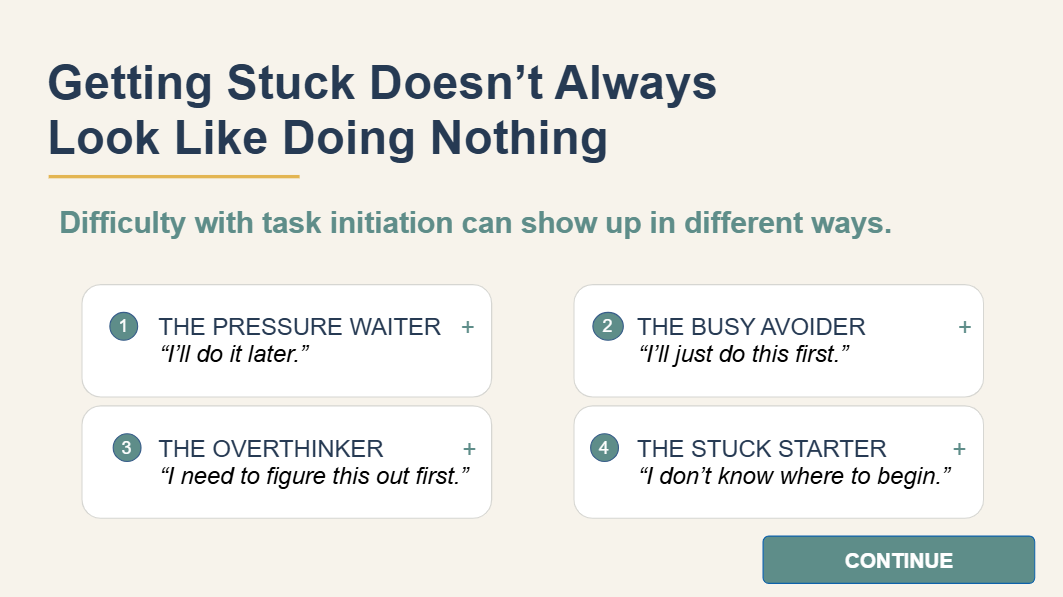
Exploring Patterns Through Layers
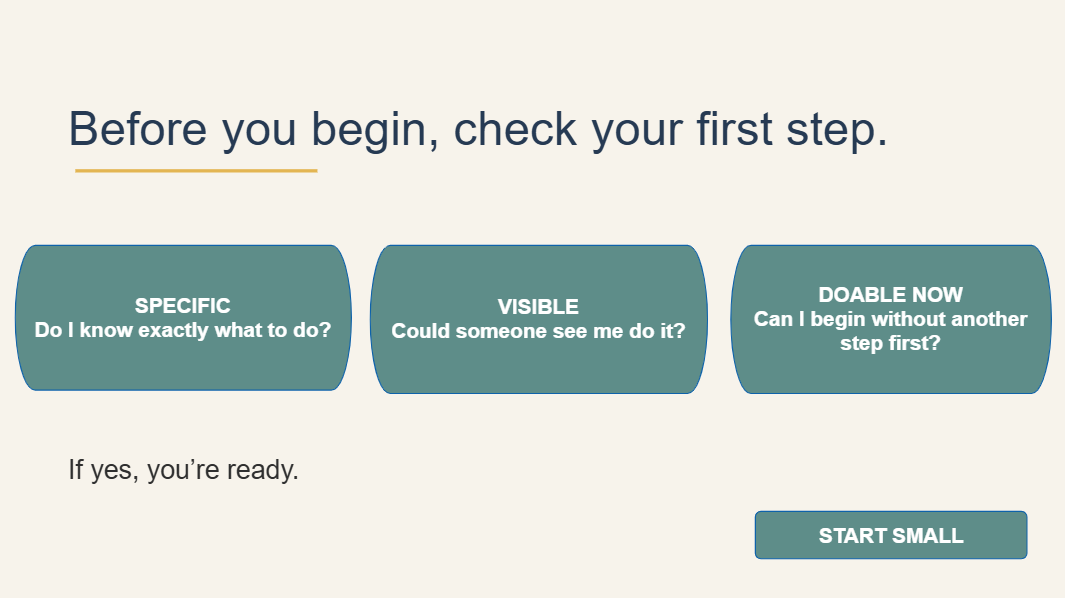
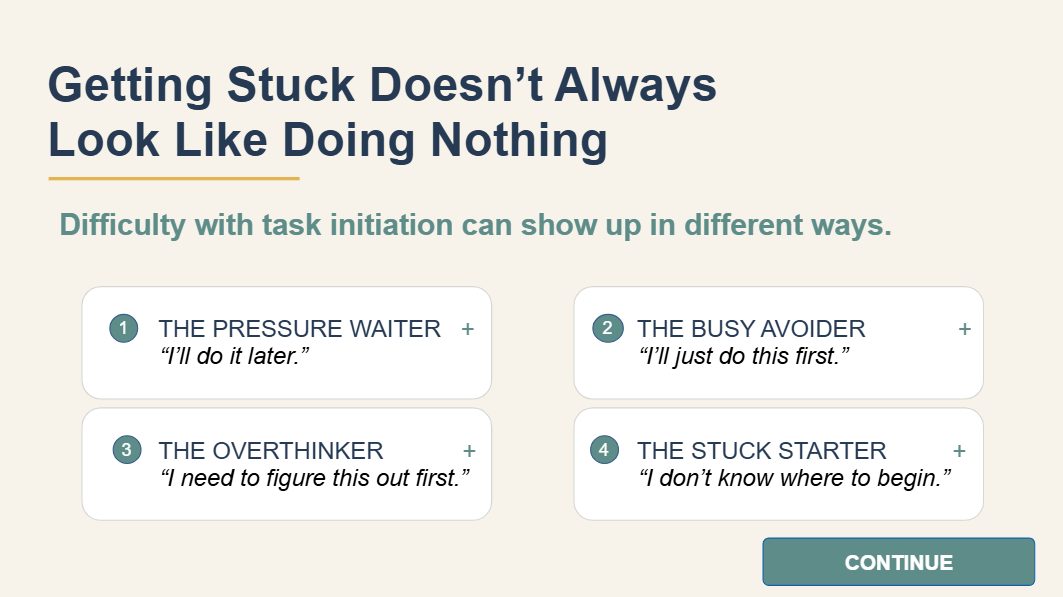
The “Getting Stuck” interaction lets learners select different task-initiation patterns and reveal additional information without leaving the main screen. Using layers keeps the experience compact while allowing learners to explore each pattern at their own pace.
Practicing the First Step
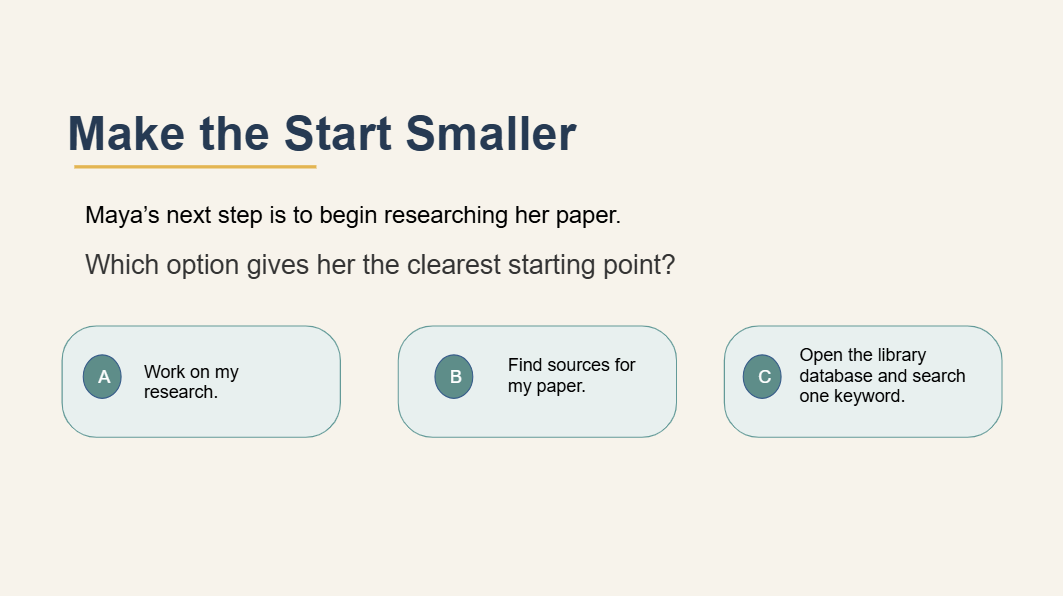
The “Your Turn” interaction asks learners to distinguish between vague tasks and clear starting points. Immediate feedback reinforces the idea that an effective first step should be specific enough to begin right away.
Building a Personal Start
The final application sequence moves learners from observing Maya’s situation to thinking about their own. Guided prompts help learners identify a task, shrink the starting point, and check whether the first step is specific, visible, and doable now.
Development features:
Articulate Storyline 360 · Slide Layers · Object States · Conditional Triggers ·
Customized Feedback · Learner-Controlled Navigation · Branching Choices
BUILD PRINCIPLE:
Use interaction to reveal, practice, and apply—not simply to make the course clickable.
Outcome & Reflection
The finished experience turns a common executive-function challenge into a short, self-directed learning sequence that moves from recognition to action. Rather than simply defining task initiation, the course helps learners identify what getting stuck can look like, distinguish vague tasks from actionable first steps, and apply the strategy to their own work.
Building the project also reinforced the value of using Storyline interactions with purpose. Layers, feedback, and learner choices were used to support exploration and practice rather than add complexity for its own sake.
What this demonstrates:
Scenario-based learning · Executive-function content development · Articulate Storyline interaction design · Learner-centered sequencing · Practical application
From Explanation to Recognition
The strongest shift in this project was moving away from simply defining task initiation and instead helping learners recognize how it can show up in real situations. Maya’s scenario and the “getting stuck” patterns make the concept easier to identify before asking learners to apply a strategy.
Designing Interaction with Purpose
Each interaction was built around a learning decision rather than added for variety. Learners explore patterns, evaluate possible starting points, and build a first step, so the interactivity supports understanding and application rather than functioning as decoration.
Opportunities for Iteration
A future version could include usability testing with representative learners to see where they hesitate, which examples feel most relatable, and whether the first-step strategy transfers easily to their own academic work.
The project reflects my broader approach to learning design: make the barrier understandable, make the strategy usable, and give the learner a clear next move.
Ready to explore the experience?